Version 2 Release
Version 2 Release
Version 2 of Backseat Geologist is now available on the App Store and Play Store. This big update brings new features, some design changes, and lots of little fixes to the app.
It’s been a little over a year since Backseat Geologist hit the App Store and a little under a year since it hit Android on the Play Store. Over the past year I’ve grown the app piece by piece as I’ve received feedback, been inspired, and learned about more data sources. I’m excited by what the future has in store!
New Features
A New Saved Routes View
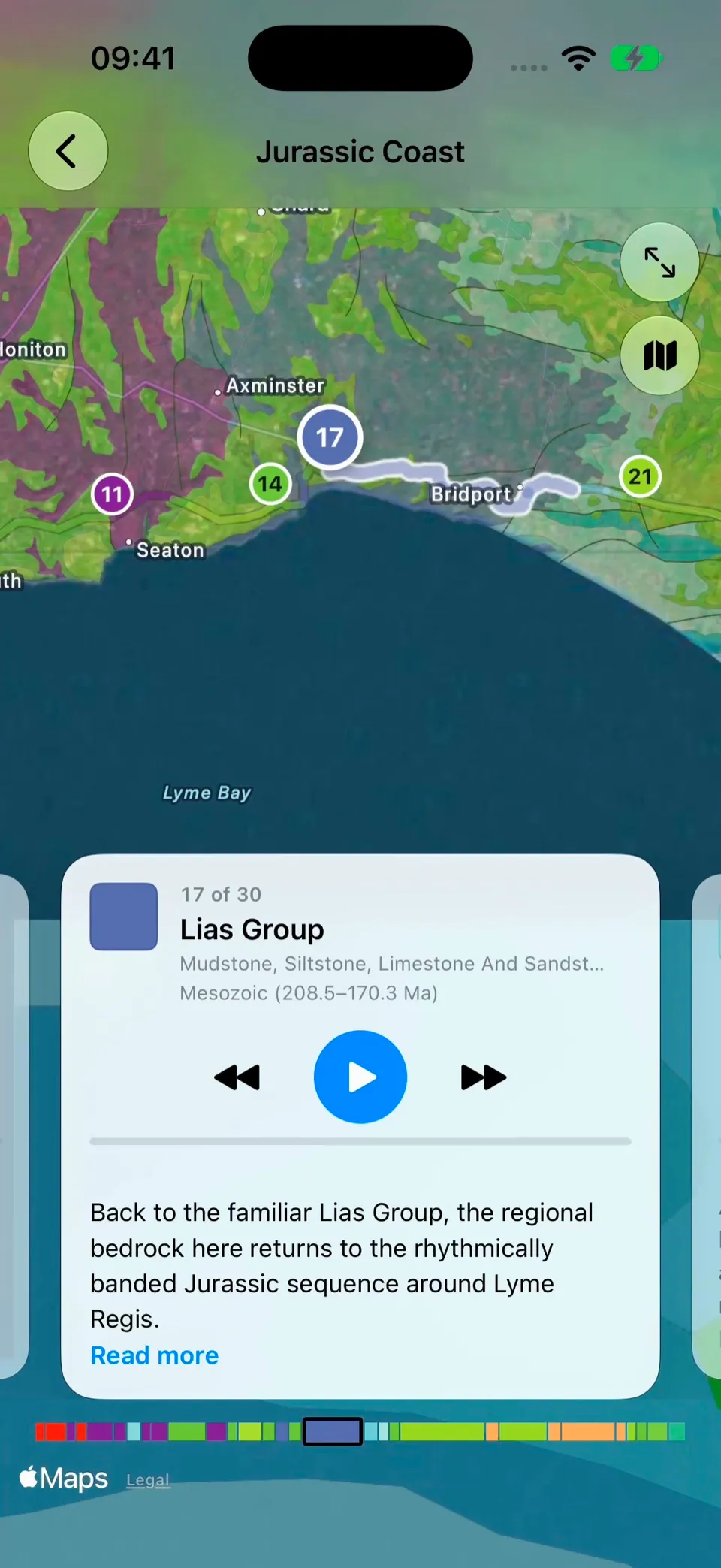
Saved routes are a great way to use Backseat Geologist. They let you plan ahead and save the content to replay offline. Make a route directly from the map or use the custom route creator so you are ready to go. They are also a good way to just read about the geology without having to go driving. In light of that, I’ve fully redesigned the saved routes experience. Now the route segments are shown over the map. You can swipe between the segments and read the geology descriptions with the context of the map in the same place. I think this is much better than the previous small map and long list. These improvements also apply to saved Overlooks. The Overlook description is in the first panel and you can swipe to see the supporting info that was used to create the description.
More Data Sources
I’ve added new data sources to the app to make narration richer and let you learn more about geology across the world. I’ve added data on fossils, paleogeography, more faults, and more structures.
- Fossil data comes from the Paleobiology Database with a silhouette of each group so you can see what has been found in that rock unit.
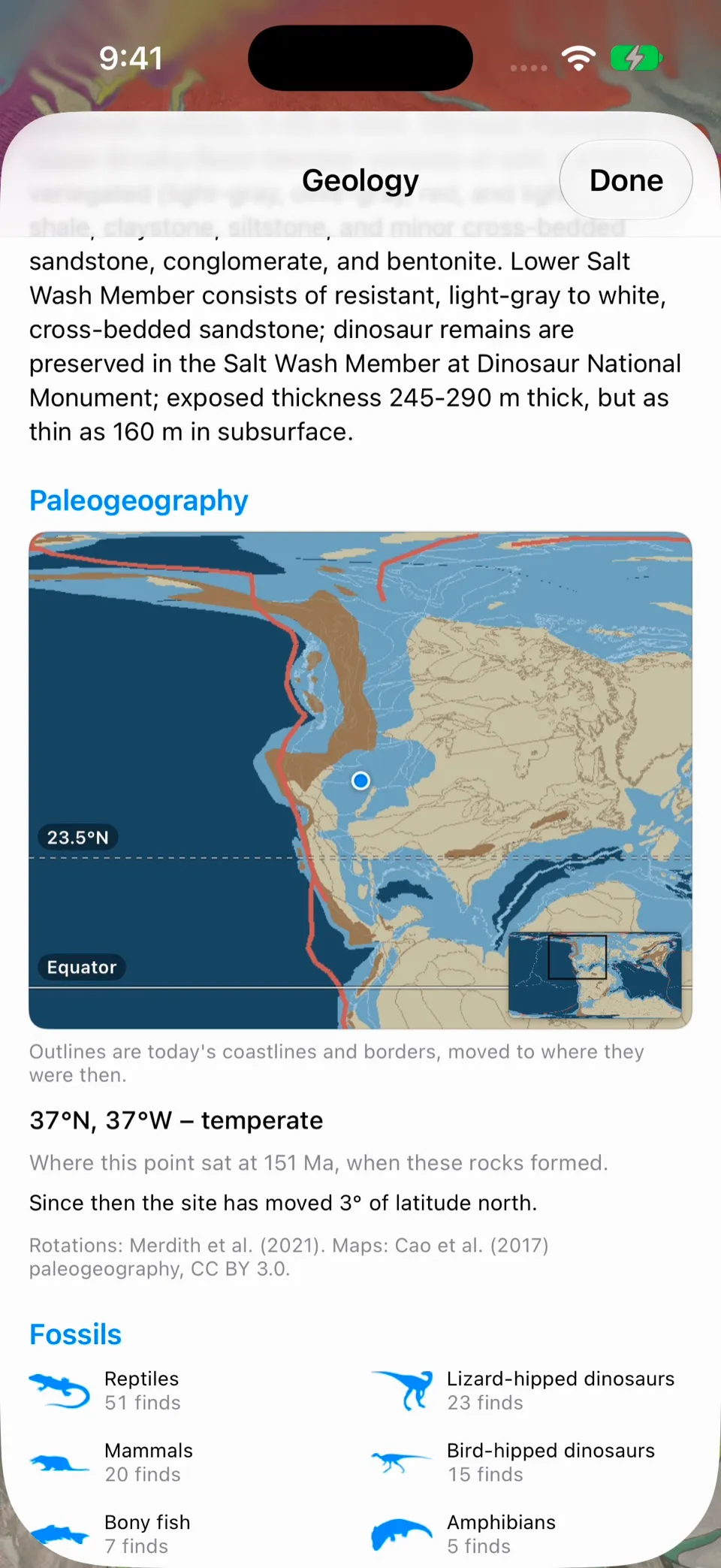
- Paleogeographic reconstructions shows a map of the ancient world with a dot at the selected location. The reconstructions were created using GPlates based on rotations from Merdith et al. (2021) and maps from Cao et al. (2017). Now you can see modern borders within ancient coastlines, plate boundaries, and latitudes to make sense of the environment that the rocks formed in. That context can help explain why a limestone formed and how far it has traveled as plates have moved since its formation.
- Faults have been expanded thanks to the GEM Global Active Faults Database. This database provides worldwide active faults with slip type, slip rate, and dip. This complements the USGS Quaternary faults that were already available for the US and brings structural information to more locations.
- Macrostrat structural lines are now included as well. These lines include faults but also other features like anticlines, dikes, and more.
To accommodate all this new info, I’ve restructured the geology info panel that comes up when you tap on the map. The initial panel now holds just a few items, but when you tap the blue expand arrow, it opens a big detail page with everything we can get for that point. That includes the map description, lithology, explanation (if generated), faults, paleogeographic reconstruction, fossils, stratigraphic column, comments, and source information.
A New Route Gallery
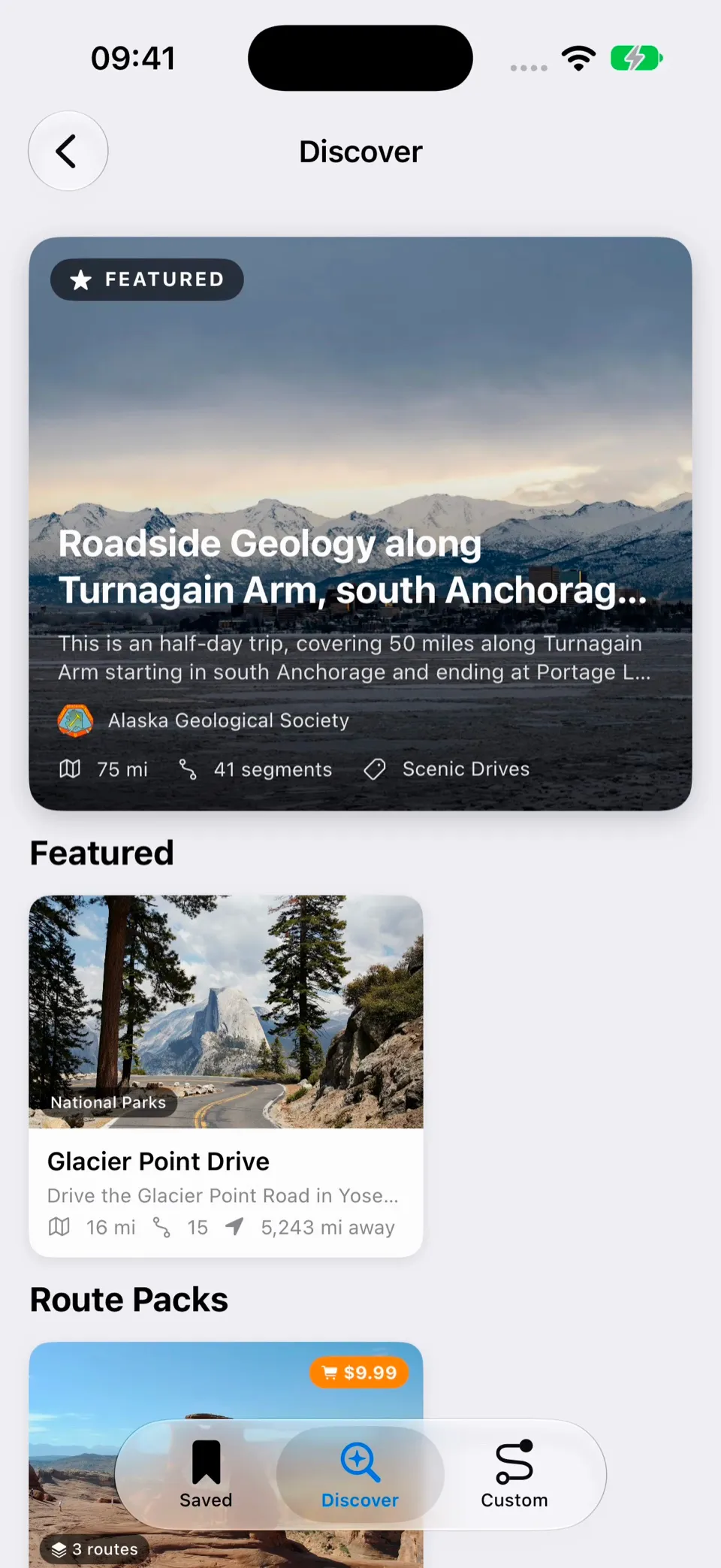
A lot of this is behind the scenes, but I’ve recreated the backbone of the Route Gallery system, now called Discover. This will allow Backseat Geologist to move from its current generated approach to a full geology field trip platform where geologists can create and distribute routes to users. Routes distributed through Discover are reviewed for quality and new routes cite their sources. Initially I will have a few new routes and some route packs available to purchase. Route packs include all the routes for one price. This is all in the early stages and I hope to grow it over the coming year. Work on the saved routes and route navigation system was done in part to support new types of routes and route content for the Discover system.
Bug Fixes and Improvements
Saved routes don’t lose their audio (if your route lost audio you can recreate it for no usage cost), explore mode keeps running more consistently when the app is in the background, and narration recovers better from spotty cell service. Narration also repeats itself less, describes faults more accurately, and reads numbers more naturally.
This update gives Backseat Geologist an even stronger foundation to keep growing the best geology app on iOS and Android. Thanks for riding along, let me know what you think of the new features!