Version 1.6.1 Release
Version 1.6.1 of Backseat Geologist is now available on the App Store and Play Store. This version includes a new visualization for regional stratigraphic columns.
New Features
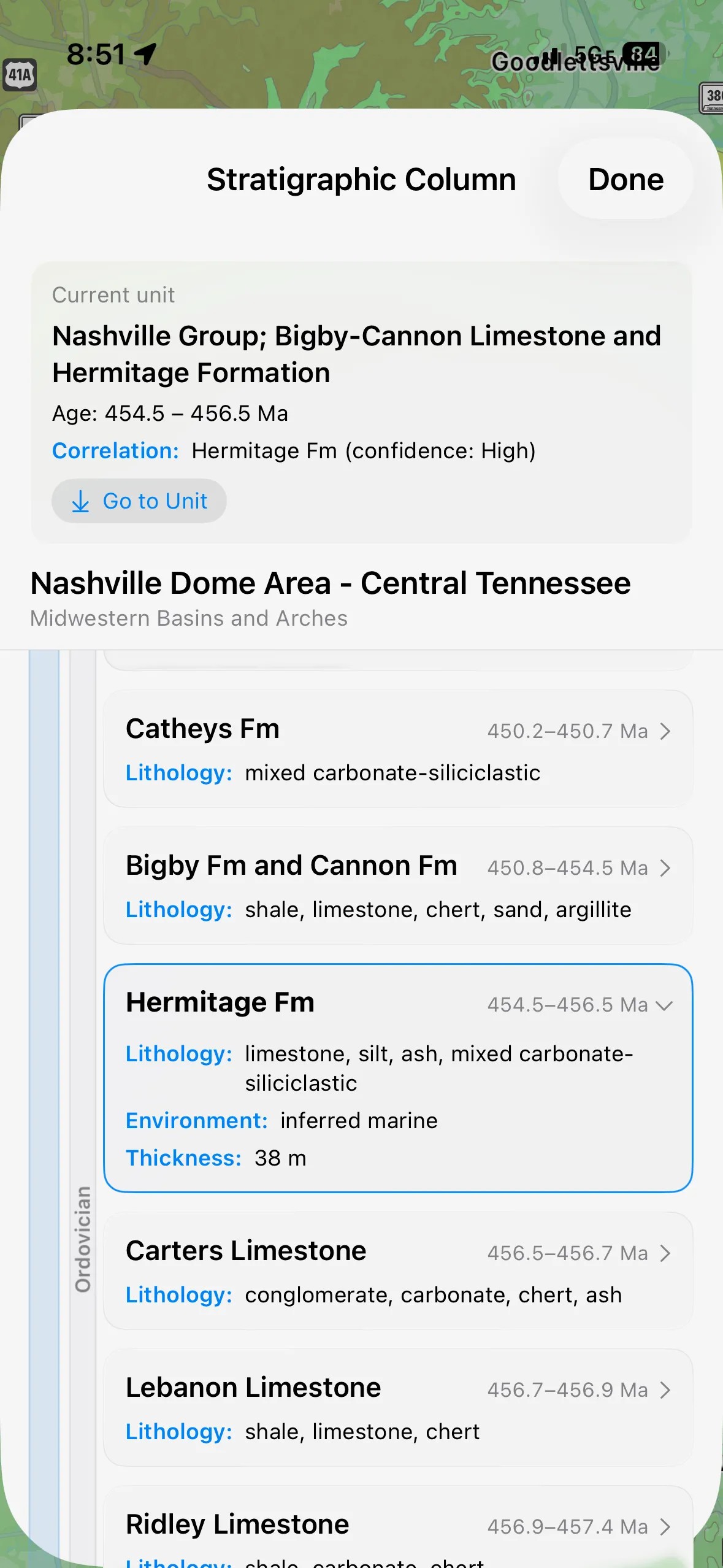
Regional Stratigraphic Column View
After adding regional stratigraphic context to the geology description system, it was only natural to make a display for the column. When you tap on a unit and bring up the information, there is now a button to access the regional column. The view attempts to place the current unit in the regional column to see how it relates to other units. These data systems in Macrostrat are not always aligned. Map units and column units can have different details and are not linked via an id system in the database. As such to correlate the current unit to its place in the column I compare the unit age, name, and other factors. The correlation is not always perfect so a confidence score is given to the correlation. You can jump to the correlated unit with a button at the top.
The list of units in the column are divided by the geologic timescale. The far left rail shows the Era, the next shows the period, and then the units within each period. Unit cards can be expanded for a little more information like environment and thickness.