Version 1.7 Release
Version 1.7 of Backseat Geologist is now available on the App Store and Play Store. This version includes a new Points of Interest feature and new map options.
New Features
Points of Interest
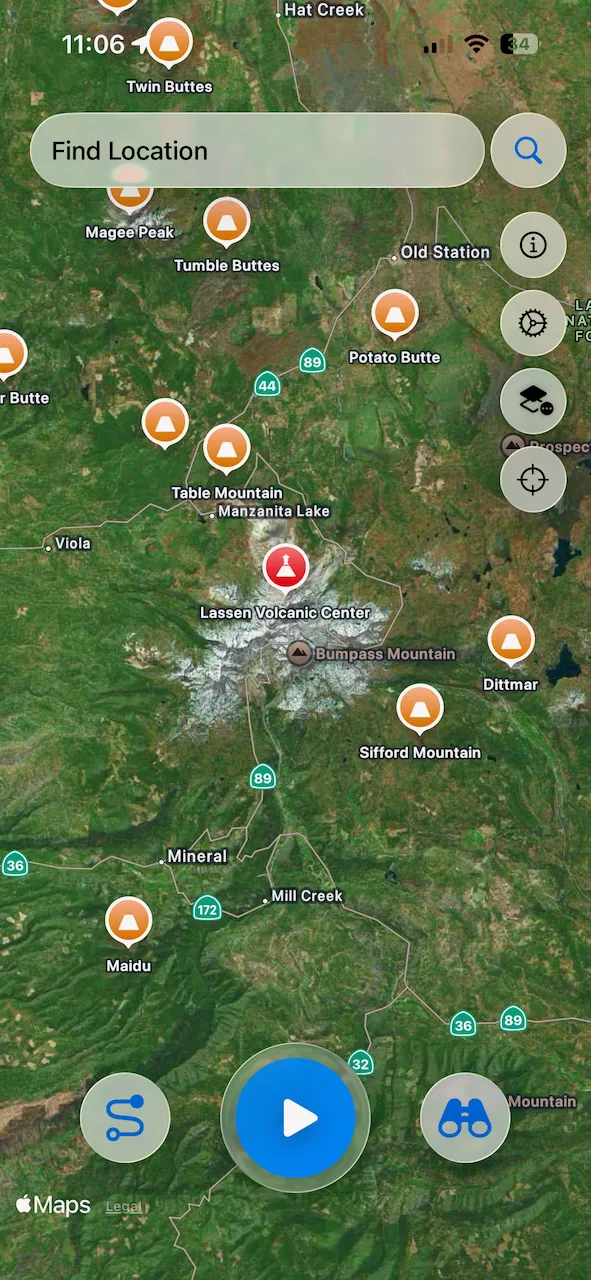
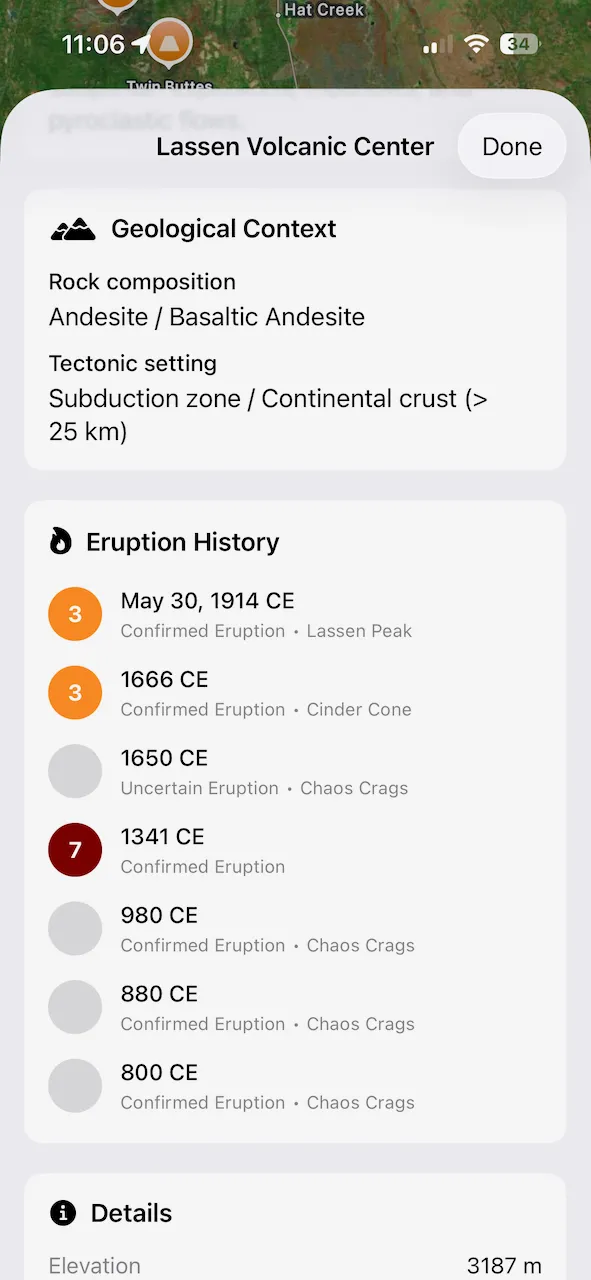
Up until now Backseat Geologist has been focused on shape and polygon features. With the latest update I am introducing a system to handle point based information in the form of Points of Interest. This new data type will allow adding additional information into the app for interesting geological locations around the world. To start things off I have added information on 2,660 Pleistocene and Holocene volcanoes from the Smithsonian Global Volcanism Program GVP and the University of Bristol Volcanic Global Risk Identification and Analysis Project VOGRIPA. The Smithsonian provides the general volcano information and it is enhanced with eruption history from VOGRIPA. I have correlated the two datasets to associate the eruption history with the respective volcano. In addition to the volcanoes, I have also included 1,281 large historical earthquakes. This includes earthquakes with magnitudes over 7.0 from the last 100 years as well as smaller but significant earthquakes from pre-1900 provided by the USGS.
Each Point of Interest shows on the map so you can explore around and find interesting places or POIs can be toggled off to remove map clutter. Tapping on a point will bring up the details view. For volcanoes it shows a picture of the volcano, geologic description, rock and landform types, eruption history, and other information depending on availability. For earthquakes the magnitude, damage and fatality stats, shakemaps, event description, tectonic discussion, and other information is available. Links back to the original data sources are shown on each detail page.
New Base Maps
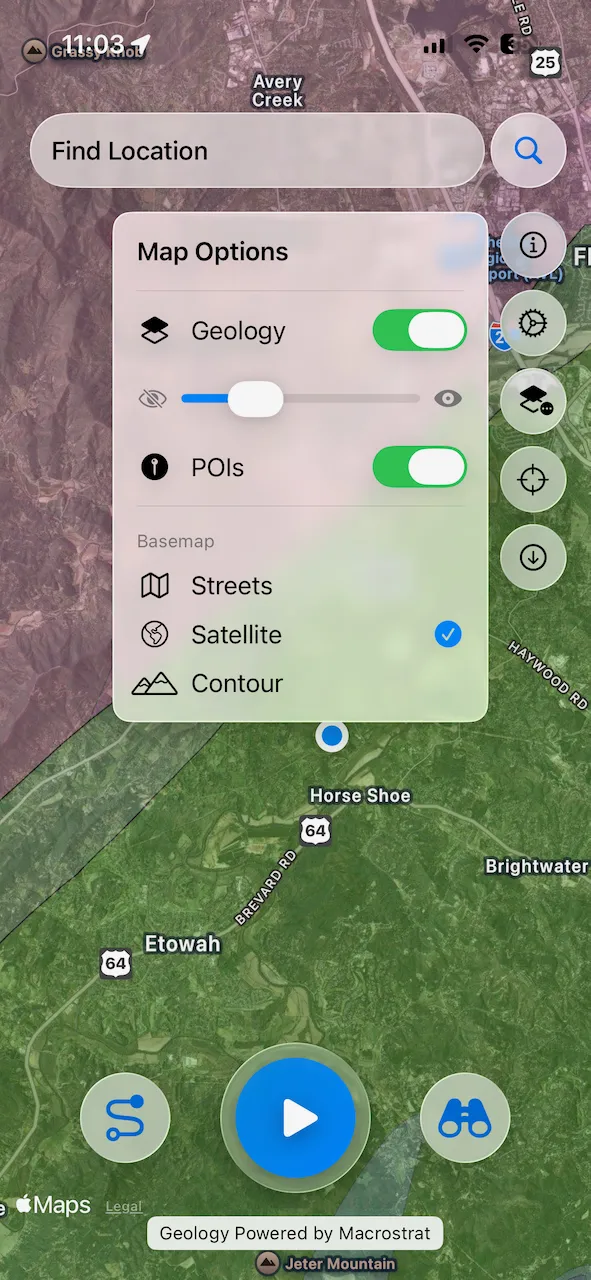
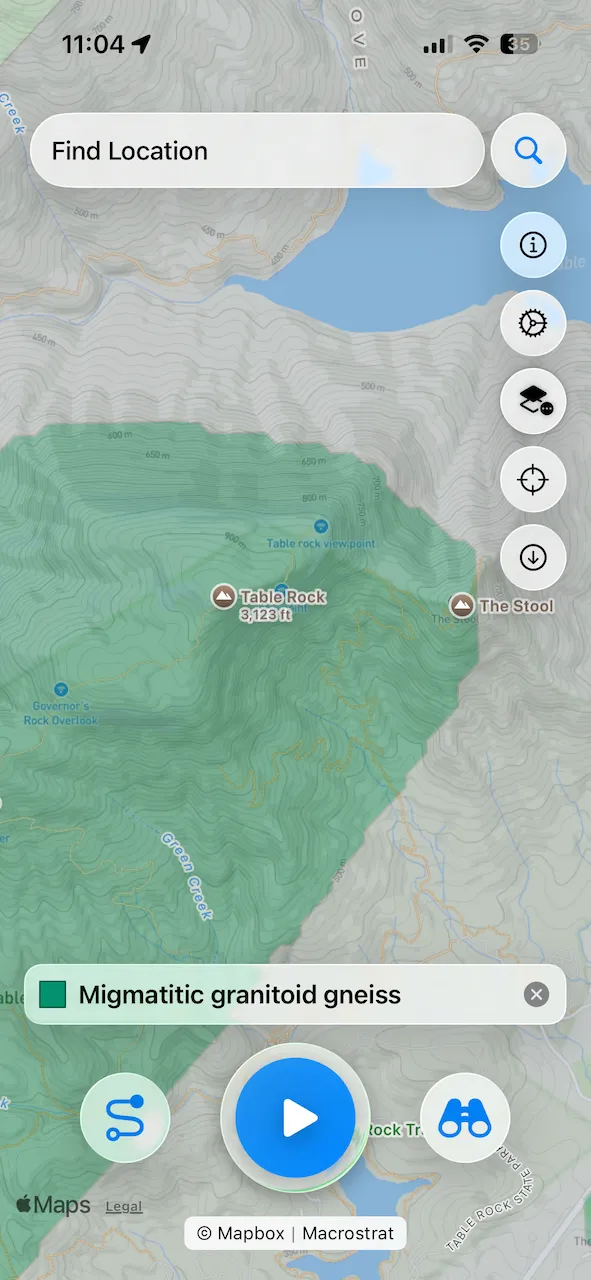
I have added two new base map options, Satellite and Contour map views. This will enhance the ability to understand the relationship of the geology to the landscape. And frankly I should have had satellite view much earlier! Satellite views use the Apple or Google Maps views native to the respective platforms. The Contour map uses Mapbox Outdoor tiles, which is the same map as AllTrails, Strava, and other popular mapping apps. Be sure to zoom in close so you can see the contour lines. Due to costs related to serving the Mapbox tiles, Contour maps are limited to Premium and Max subscribers. Another new feature is a transparency slider for the geology overlay. You can now adjust the prominence of the geology layer to get the desired look for the map.
These new features will improve the map display options and add more interesting geology information to explore.